
What you can do with status manager
-
bulk update the status of multiple Confluence pages per space
-
reflect project stages or mark pages for review in one action
Status manager only works per space. It is not possible to bulk change a status across multiple spaces as the same time. Learn more.
How to bulk change status in Confluence
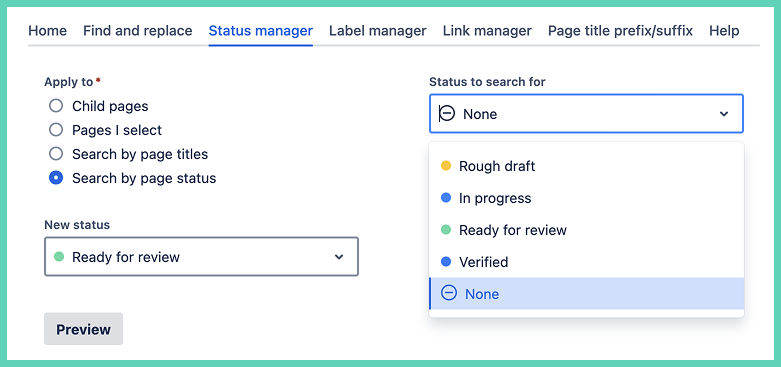
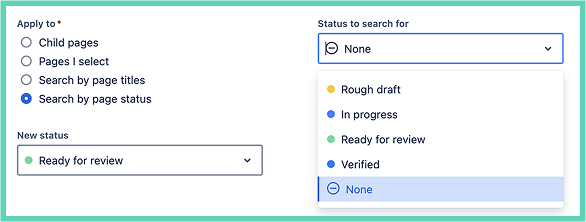
Select the pages you want to preview or search by current status of pages.
You have the option to choose a new status to change the page status to. The default is ‘None’ which removes the status completely, which means that the status icon will no longer appear at the top of the page.
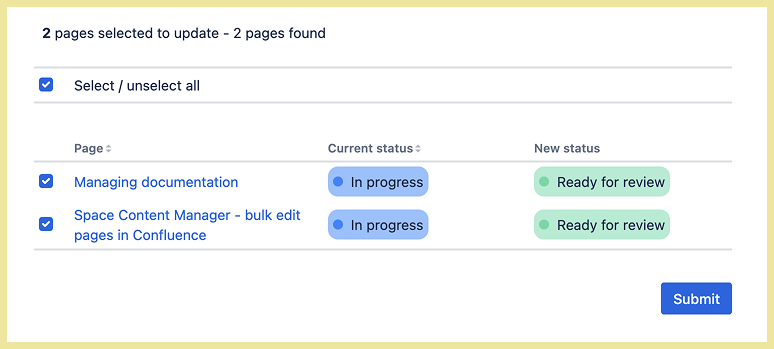
Click preview to see results.

Deselect pages that you do not want to change. Then click Submit when you are ready.
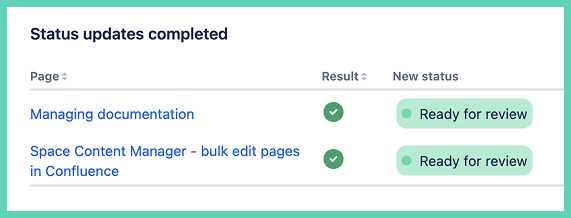
Have confidence the changes were made thanks to a confirmation message.