
What you can do with page title prefix/suffix
To one or multiple pages:
-
add a prefix to a page title
-
add a suffix to a page title
-
add both a prefix and a suffix to a page title
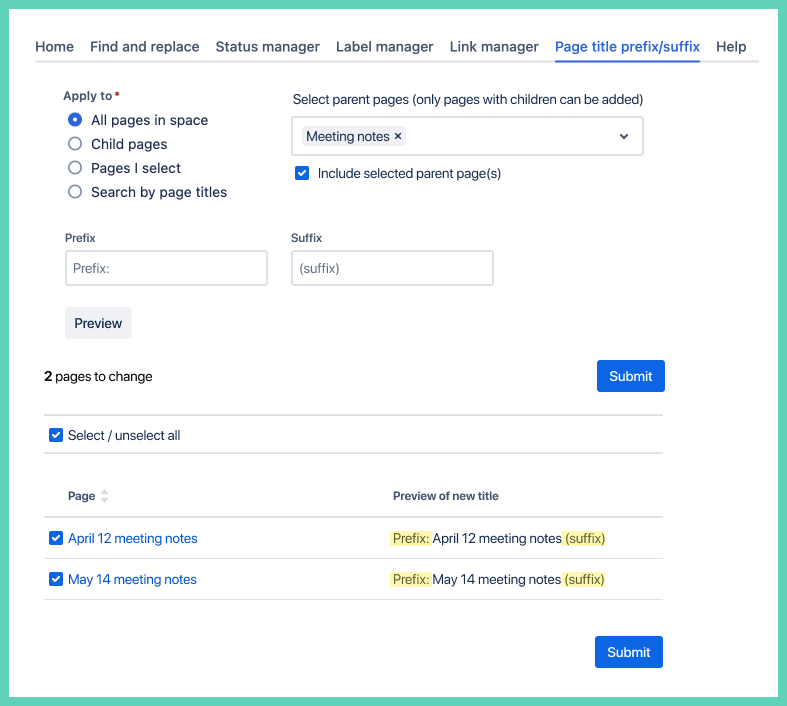
How to add a page title prefix and/or suffix
Step 1: access page title prefix/suffix
Once in Space Content Manager select the tab Page title preview/suffix:

Step 2: select pages to search
Option 1: entire space
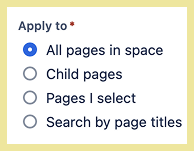
This is the default and searches all pages in the space you are in.
Option 2: choose child pages

Search only child pages with an option to include the parent pages. Only pages with child pages will appear in the search as you type.
Option 3: select pages

Select specific pages to search.
About selecting pages to search
-
only searches pages in the space you are in
-
to search in a different space open Space Content Manager in that space
-
-
you must have permission to at least view the page
-
child pages
-
only parent pages that have children can be searched
-
Step 3: insert prefix and/or suffix
Type in the prefix and/or suffix to add to the page title.
Tip: consider using a space after the prefix or before the suffix.
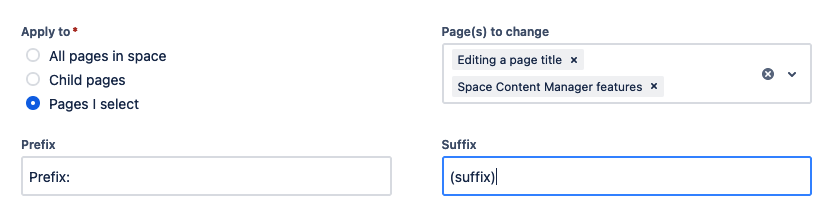
Step 4: preview and confirm
If you choose All pages in space or Pages I select the preview shows automatically as you type in a prefix of suffix.
If you choose Child pages you need to click the Preview button which appears after you select Child pages.
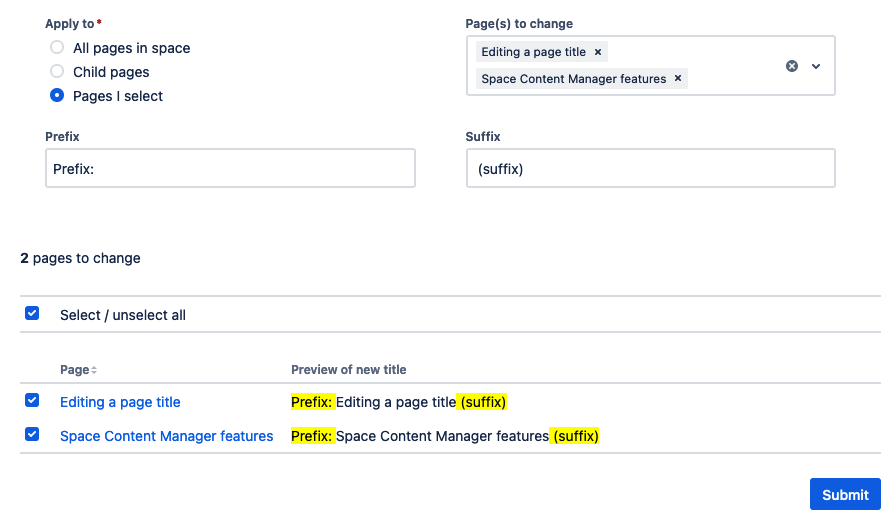
Deselect
You have the option to deselect pages you do not want to change.
Submit
When you are happy with the preview click the Submit button.

Confirmation
The 

-
each page title is a hyperlink to the page