

WebP images
WebP previews are not supported by Confluence, you must download to view a WebP file
.tiff .tif images
It is not possible to display a TIFF file inline on a Confluence page. It shows as a preview which the user has to click on to view the image.
Confluence image rendering
Confluence renders GIF, JPEG and PNG, which means they show inline on a page.
Other file types either require the user to click on the image to see the image preview or to click and then download the image to see it.
Attachment already exists
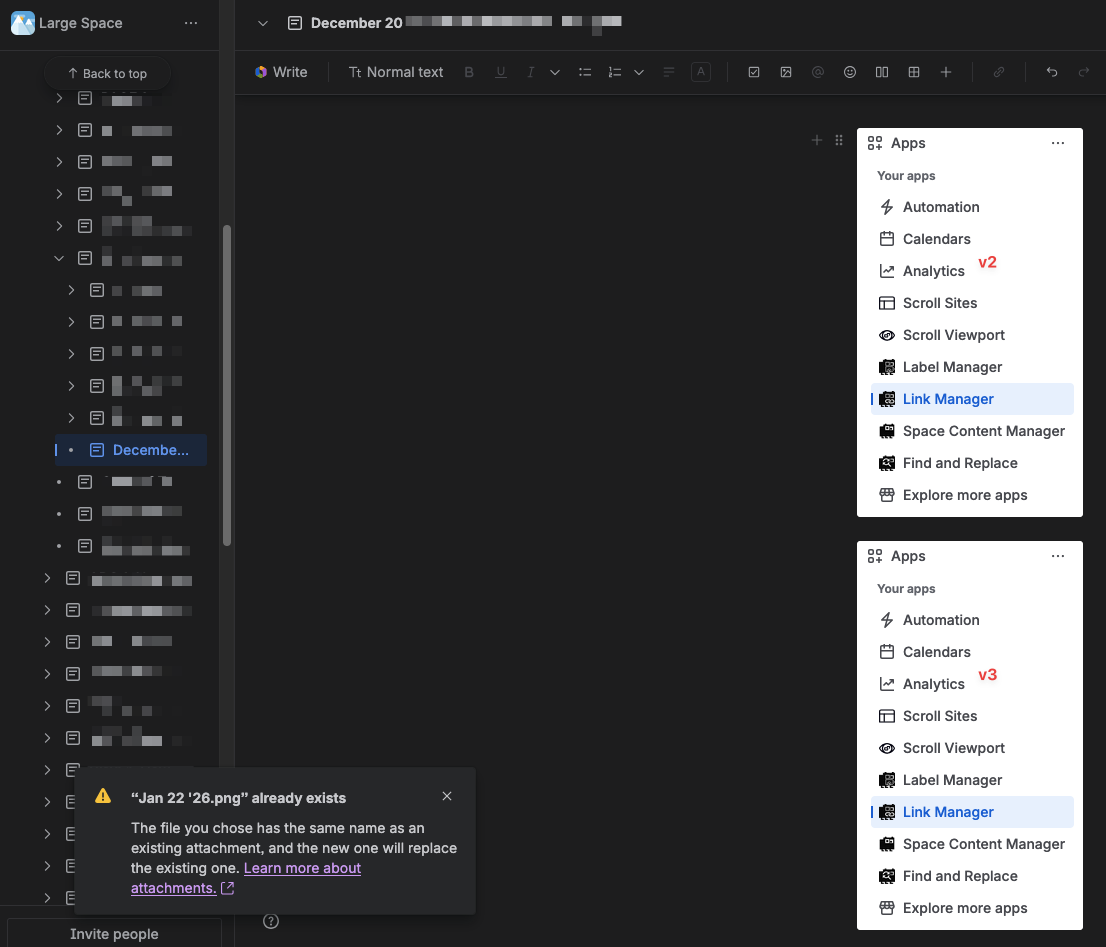
If you try add an attachment with the same filename as a current attachment that appears on the same page you get this warning.

Go to the link Learn more about attachments.
Use case
A user updated the attachment. In this case the change was to the text from ‘v2’ to ‘v3’. When the updated version, it has the same filename, was uploaded Confluence produced a warning that if published the page it would replaced the older version of the attachment on the page with the newer one.
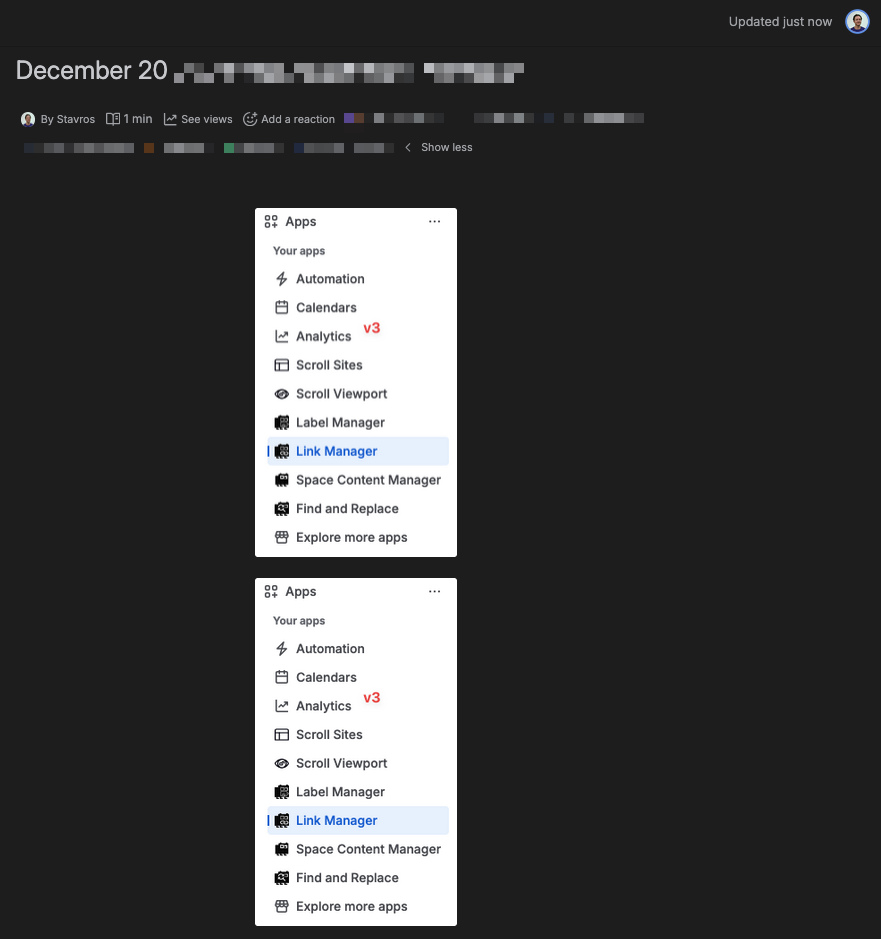
After publishing the page the version with ‘v2’ no longer displays. It was replaced by the newer version ‘v3’.
However, both version are still saved in Confluence.
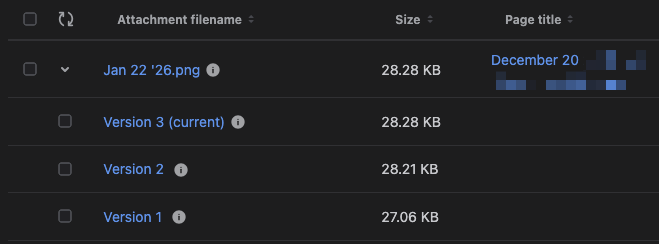
The version with the text ‘v2’ is version 2 and the version that displays on the page is version 3. 'Current' meaning that it is the latest version, whether or not it appear on a page is related.